Quite a few times in my life, I’ve tried to daily drive a Linux distribution. The first time was several years ago, when I was in 7th grade. After figuring out my computer’s BIOS password with bios-pwd.org, I successfully dual booted Ubuntu for the first time. I had no idea what I was doing, but I picked up bash commands quickly enough.
Ricing
I was using Ubuntu with the GNOME desktop environment, and I took advantage of the abundant customization resources on the internet. With some GNOME tweaks enabled, an icon pack, and a Gruvbox-themed wallpaper I found on YouTube, I created my first rice.
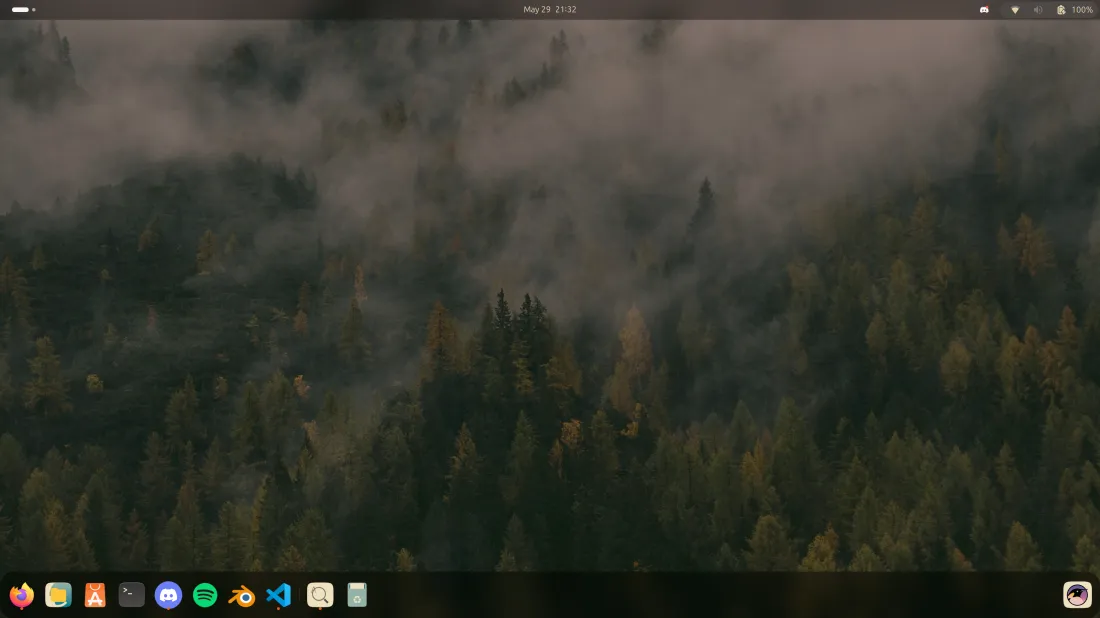
This configuration, as shown in Fig. 1, worked flawlessly for me. Firefox ran smoothly, I had the Discord app, and I could use Blender whenever I wanted to work on 3D art. Ubuntu with GNOME is probably as basic and surface level as Linux setups go, and for good reason. The large icons, well-built GTK apps, and easy settings management made problems very uncommon, and when they did happen, it was always a result of my inexperience with Unix systems.
This first phase of me daily driving Ubuntu was quite short-lived. My mother shared the laptop with me, and she needed to use Windows when printing shipping labels for her business. It wasn’t long until I had to uninstall my partition, but this was a valuable experience in my journey towards Unix fluency. I had interacted with the terminal emulator a few times and learned to navigate the file system with cd and ls, so it wasn’t a total waste of time.
My next opportunity came at the beginning of 9th grade. My father had brought home an abandoned 2016 Intel-era Macbook Pro, and I set out to install Arch on it. One morning, I woke up at 5:45 AM and started working on it. I had a 64 GB USB with an image on it, and I ran the archinstall script. The one obstacle I encountered while doing this was the fact that I had no ethernet cables lying around, so I relied on a cellular tether from an Android phone.
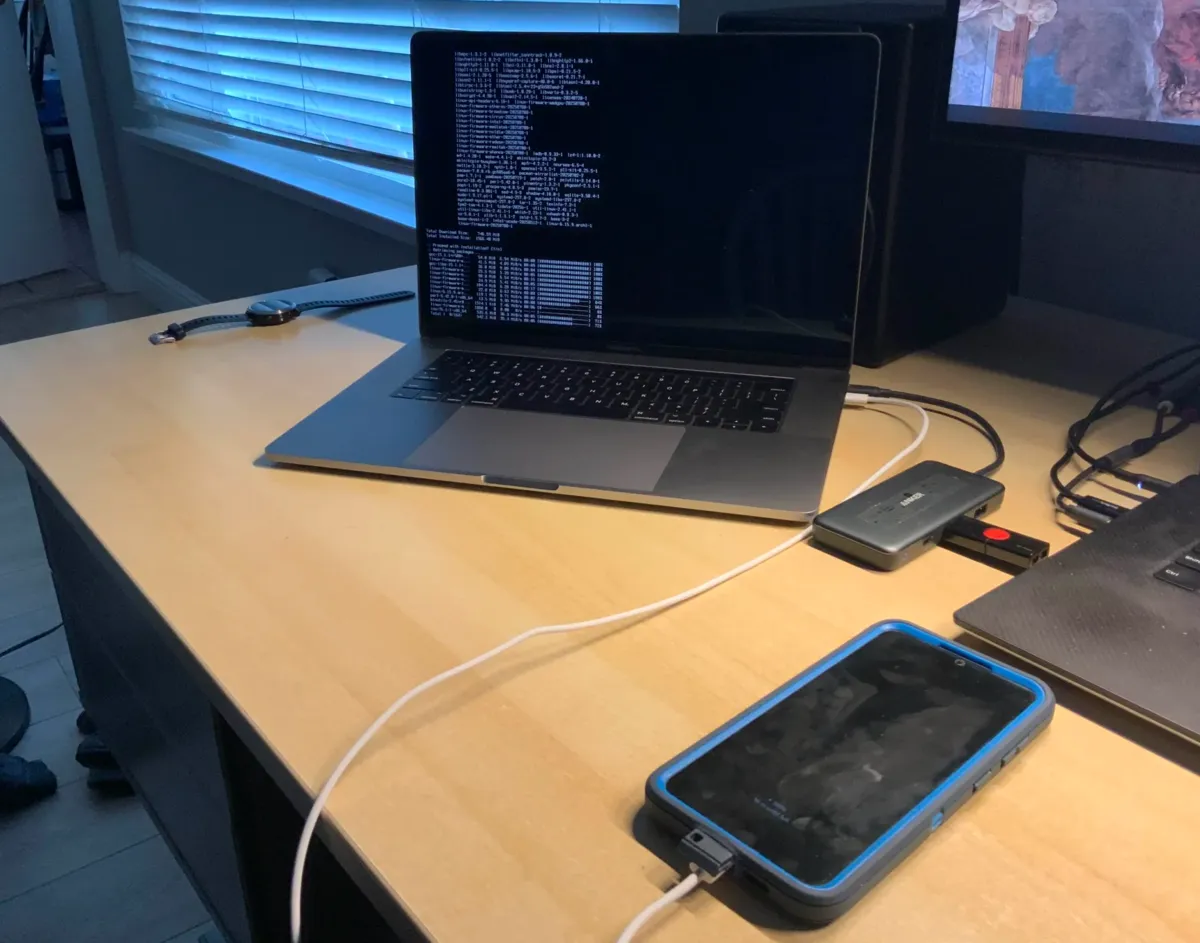
After resolving a few minor issues, I successfully booted into Arch Linux with the GNOME desktop environment. I didn’t bother doing much configuration in GNOME, since I wanted to try out Hyprland. After installing it and following the Hyprland documentation, I immediately ran into a problem where window animations ran at low frame rates and had high latency. I later found out this was an issue relating to the laptop’s integrated graphics and using CPU rendering. Ultimately, this was solved with Mesa.
My configuration process was filled with a bunch of various minor issues, probably because I chose to use a 2016 Macbook Pro. To get the speakers working, I had to apply a kernel patch from this repository. WiFi was a nightmare, and I still distinctly remember the convoluted path I took to getting the Broadcom chip to connect to an AP. In the end, after all the fixes I applied, I recovered most functionality from the hardware, except for touch ID, the touch bar, and sleeping. Fig. 3 shows a screenshot I took of the rice at the end.
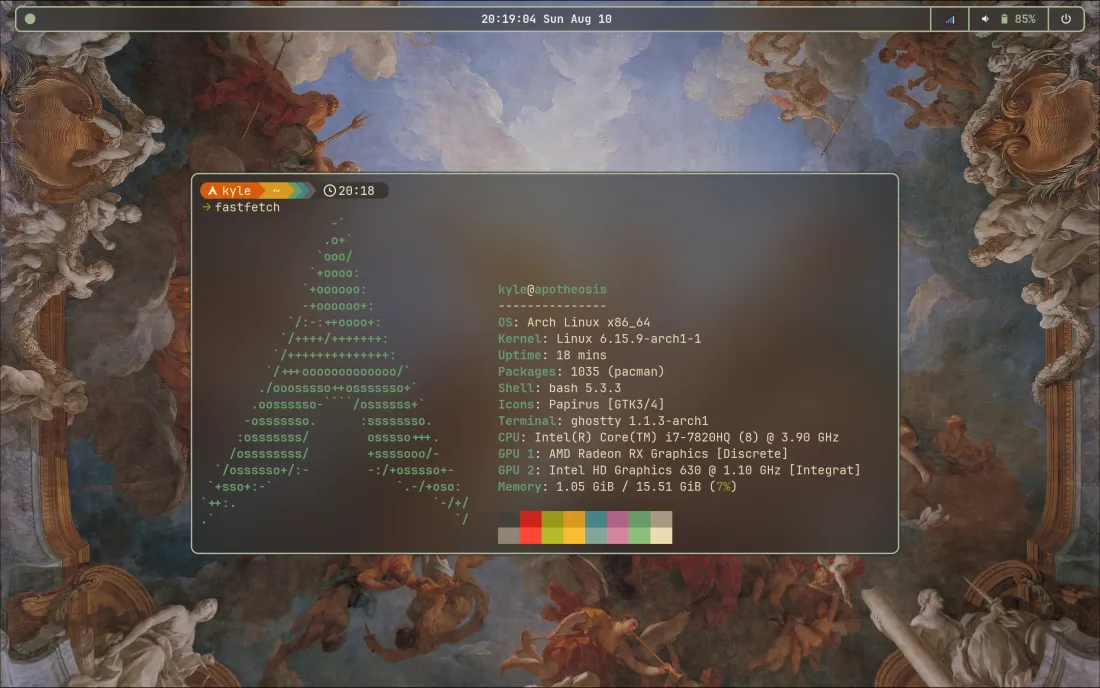
The green I chose was probably not the best choice for an accent color, but I had The Apotheosis of Hercules as my wallpaper, and at least this was my own design and not a copy of a r/Unixporn post. The top bar shown in Fig. 3 is a custom Waybar I wrote. Unfortunately it’s long gone now, and no records of this config remain.
Ancient hardware
I found a Dell Precision M4600 lying on the corner table in the living room, and I decided to connect it to power and see if it would boot. Its removable battery was gone, evident by the large cavity in the bottom of the machine.
Surprisingly, the fans audibly started the moment I plugged it in, which was a surprise due to it being a 15 year old laptop. I got into the BIOS, found the admin password, and tweaked around. It had a 2.7 GHz Intel Core i7-2620M, 8 GB of DDR3 RAM, a 500 GB hard drive, and an AMD Fire Pro M5950 as its video card. Holding it in my hands, the thickness of the body definitely stuck out to me. It was boxy unlike the taper most modern laptop chassis have, and the keyboard had a full numpad.
Through a multimeter, I found out that the 3V CR2032 CMOS battery was definitely out of charge (0.24 volts), so I had to replace it. After getting a new coin battery, I needed to connect it through Dell’s proprietary CMOS connector. Since I didn’t want to buy a replacement part off Amazon, I simply stripped off the plastic housing, tore the flat metal contact strips off the battery, and taped them onto my replacement CR2032.
This time, instead of Linux, I decided to go for FreeBSD. I used the macOS dd utility to flash the install image to the same 64 GB USB (I daily drive a MacBook Pro these days), and booted the laptop from that.
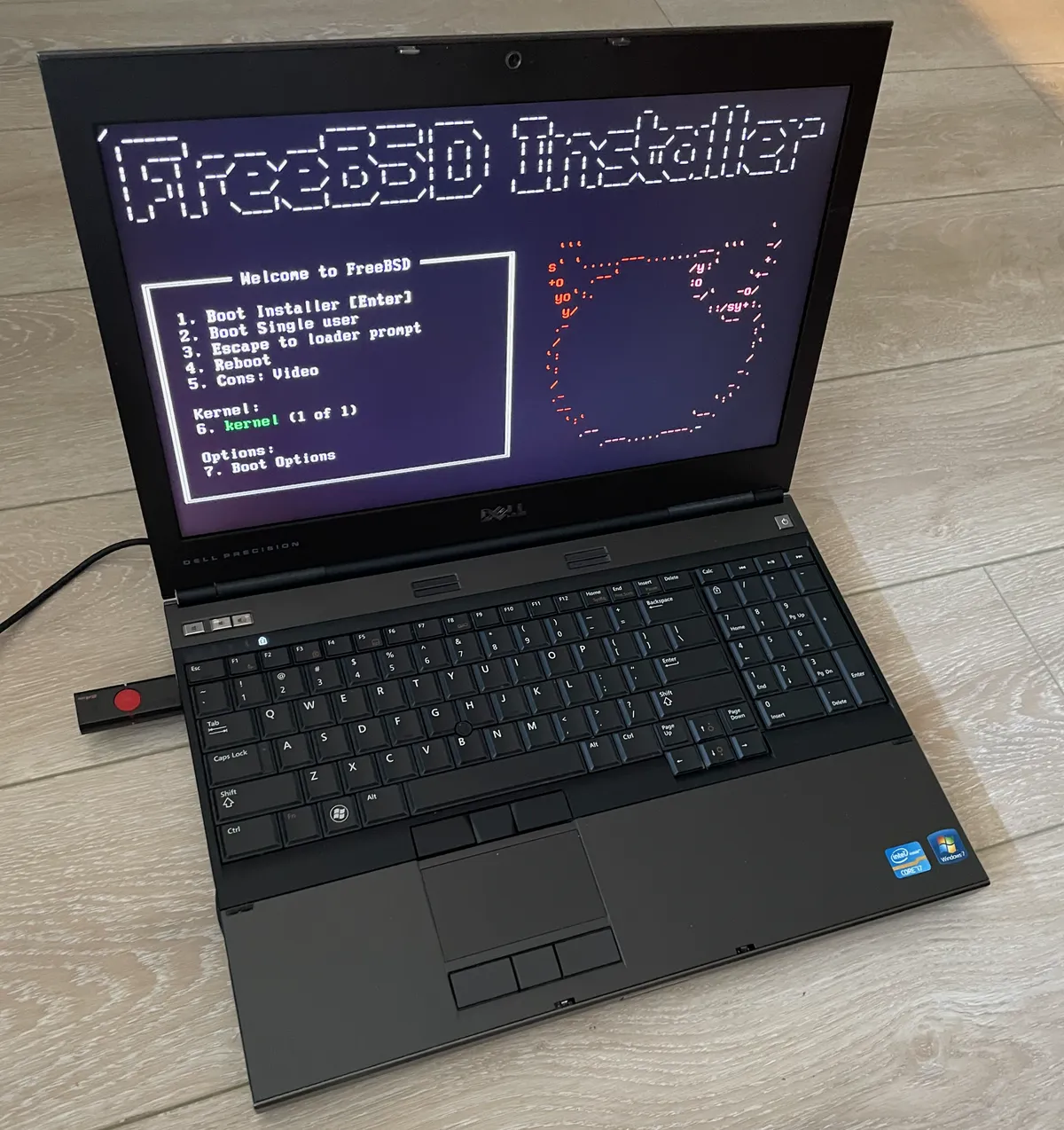
The FreeBSD handbook was great and guided me through selecting all the options the installer provided. The only novel part of the install process was setting up ZFS on the HDD, since I had never used it before. For some weird reason, installing packages from the internet wasn’t working for me. Since I didn’t have an ethernet cable, I selected the wireless chip and tried to connect to my home WiFi. Each time I tried doing that, the install would fail with an error about fetching packages.
I eventually switched over to an offline install and just used data provided on the install image, which worked fine. I logged in as root, created a user account, and it was working fine as TTY. I configured the WiFi correctly, and I was sending pings to Cloudflare successfully. I decided to call it a day and turned off the computer from the FreeBSD shell.
As I was putting it away, I hooked it up to power again and pressed the power button out of curiosity, since it would previously only boot if I replugged the CMOS. Disappointingly, nothing happened no matter how long I held the button down. A little bit angry that I’d spent the entire evening tweaking with a machine that didn’t even have a working power button, I put the laptop back where I found it and never touched it again.
Ideal setup
My daily driver has been a M4 MacBook Pro for the last few months, and it works the best out of all the past machines I’ve used. I’ve configured it declaratively with nix-darwin and I’m still using The Apotheosis of Hercules as my wallpaper.
I broke down my dotfiles in a YouTube video, in case you wanted the details. The broad overview is that I use Neovim as my text editor, Ghostty as my terminal emulator, and tmux for sessions.
I enjoy the Apple design language, and “everything just works” has been true in my experience. However, MacBooks have SoCs with closed source firmware blobs, which usually isn’t a problem but also isn’t ideal.
My ideal system doesn’t exist in the real world today due to all the open sourced chips like RISC-V being significantly less powerful than Apple silicon. However, if I were to invest ~200 USD into a personal hobby machine, I would look into eBay Thinkpads. It would be an X220 with the Intel ME neutered by me_cleaner. I’d use coreboot to replace proprietary BIOS.
As for my OS choice, FreeBSD is interesting and has a great mascot, but shown by its driver situation, personal consumer laptops are clearly not its forte. Since I’ve already been hooked into the Nix community and ported every config into home-manager, I would go all the way with nixOS. This machine wouldn’t handle modern video editing or my YouTube workflows, but I could see myself writing essays and papers with Typst on the X220.
I read a Luke Smith article called Only Use Old Computers recently, and the lifestyle he described resonated with me. His points on repairability, the management engine, and proprietary NVIDIA drivers make sense (although I’m probably not on the NSA’s radar), but certain lifestyles just might not be compatible with only a $500 me_cleaner compatible Thinkpad.
He writes that one group of people who actually need a recent machine are the ones who:
“Use many massive Electron apps and other inexcusably bad software written by soydevs and other people who shouldn’t be writing software”
And ends that passage by noting it’s not even a “real reason” since it’s unnecessary and avoidable.
Intuitively, my first thought was to agree, since the X220 was released only 15 years ago, so why wouldn’t anyone be able to survive off of one? However, the Electron bloatware Smith mentions could simply be necessary to some people. A sizable chunk of the SaaS industry has moved to the browser, because cross-platform compatibility and fast iteration are easiest in a web context. If you’re a teacher who works in a CMS every day, or a sales professional who has to use some kind of Next.js-built dashboard, the job necessitates such a machine.
Even assuming that workplaces provide their employees with modern work laptops, the modern web has much higher memory expectation than it did a decade ago. Luke Smith has written about his own disappointments with modern browsers in his article Every Web Browser Absolutely Sucks. “Inexcusably bad software written by soydevs” is widespread these days, and hundreds of millions of people use web apps like Discord regularly. Giving that up in anticipation of a non-obvious threat vector isn’t a reasonable tradeoff for the majority of people, which is why I believe this community will always be a niche corner of the internet.
Beyond trading my MacBook for an X220, I’ve contemplated what it’d be like to leave the suburbs and live in my own land, growing my own food and being self-sustaining. Honestly, it sounds appealing in the lack of dependencies I’d have in my life, but I’d also be giving up the status I could get from starting an AI B2B SaaS. Something about taking the boy from the silicon valley and the valley from the boy.
This is a departure from my usual essays, but I hope you were able to take some kind of value from my experiences with Unix and my thoughts on old technology. That’s all for today, and until next time, I am out.